|
|
|
|
08/17/11 - Introduction to Java and OOP
|
|
|
|
 | What is programming about?
|
|
|
|
|
 | Computer as "answer" machine, need to know its language to ask it a question
|
|
|
|
|
| What makes something a computer? Is a calculator a computer? A cell phone? What else?
|
|
|
|
|
| Input (keyboard, mouse, trackpad, scanner, modem, microphone, ...)
|
|
|
|
|
| Output (display, speaker, printer, modem, ...)
|
|
|
|
|
| Short-term storage (RAM) -- How big?
|
|
|
|
|
| Long-term storage (Hard disk, flash drive, ...) - How big?
|
|
|
|
|
| What is a computer program?
|
|
|
|
|
| Source code (high-level, human-readable)
|
|
|
|
|
| Assembly and machine language (low-level, not easily human readable, not portable to different CPUs/OSs)
|
|
|
|
|
| Byte code (Java - portable, JVM - Java Virtual Machine)
|
|
|
|
|
| Compiler is a program which translates high-level source code into machine-runnable code (.exe or .class file)
|
|
|
|
|
| .exe is run by CPU, .class file is run by JVM
|
|
|
|
|
| Interpreter translates and executes program one line at a time (BASIC)
|
|
|
|
|
| We use Oracle's Java SDK (Software Development Kit) and the BlueJ IDE (integrated development environment).
|
|
|
|
 |
|
| The latest version of the Java SDK and the BlueJ IDE can be obtained from BlueJ's website:

|
|
|
|
|
| We focus on Object-Oriented Programming (OOP)
|
|
|
|
|
| An approach to writing programs which has evolved out of experience to make robust programs
|
|
|
|
|
| Program consists of modules which have particular attributes and capabilities
|
|
|
|
|
| Simplifies programming (a program largely consists of collecting and manipulating suitable objects)
|
|
|
|
|
| Relatively easy to make modifications and extensions
|
|
|
|
|
| Demo of Shapes Project from BlueJ examples directory
|
|
|
|
|
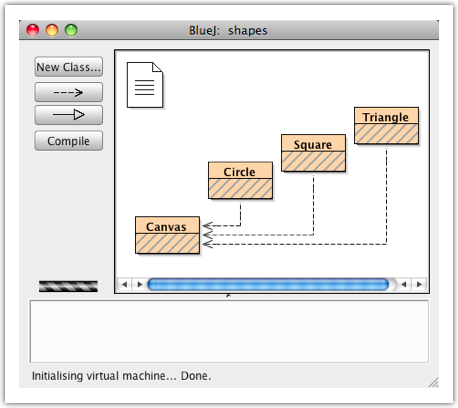
| Project contains classes (templates for objects) for Circle, Square, Triangle and Canvas.
|
|
|
|
|
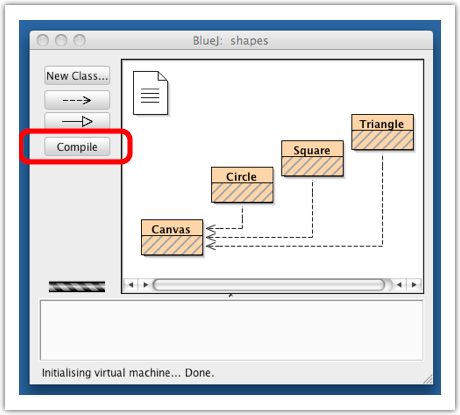
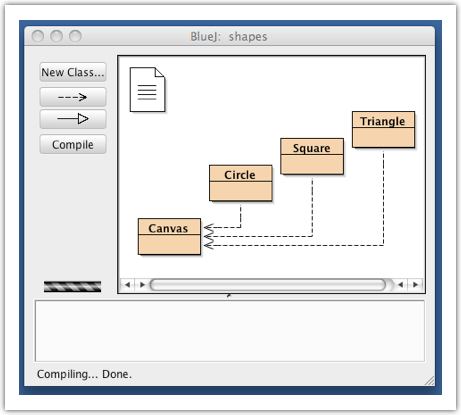
| Diagonal lines indicate the code needs to be compiled. Compile the class source code.
|
|
|
|
|
| Instantiate a Circle (make an instance of a Circle => create a circle object from the Circle class).
|
|
|
|
|
| Examine some of the circle object's methods.
|
|
|
|
|
| Experiment with some of the methods (make visible, move left, right, up, down, change size, color,...).
|
|
|
|
|
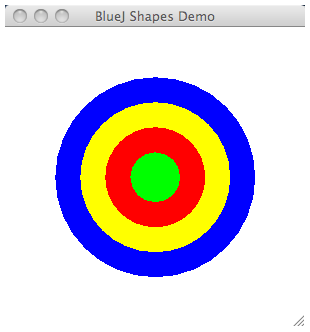
| Instantiate additional Circles -- make a picture of a target.
|
|
|
|
|
| Instantiate a square and a triangle.
|
|
|
|
|
| Notice the similarities and differences among the methods.
|
|
|
|
|
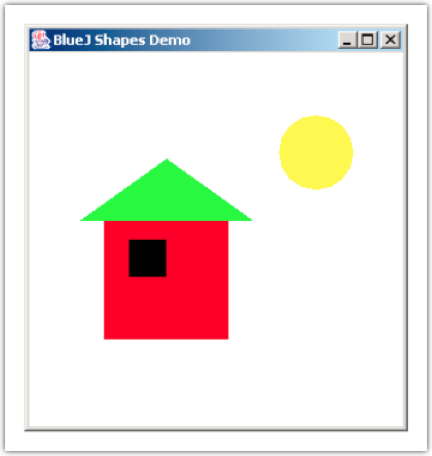
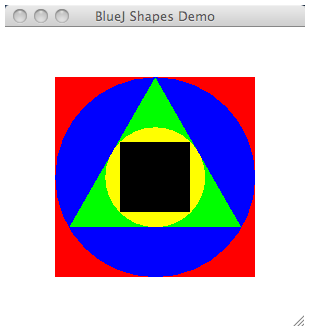
| Make a picture something like the following:
|
|
|
|
|
| Install Java on your home computer (if necessary)
|
|
|
|
|
| Install BlueJ on your home computer
|
|
|
|
|
| Draw a picture of a house something like this using the classes in the shapes project. Feel free to elaborate on this or make it very different.
|
|
|
|
|
| Submit a picture of your result (by taking a screenshot) by emailing it to me at:

|
|
|
|

|
 |
|

;)
;)
;)
;)
;)
;)
;)
;)
;)
;)
;)
;)
;)
;)
;)
;)
;)
;)
;)
;)
;)